Telos on a phone
The same horizons, one column at a time, in the browser.
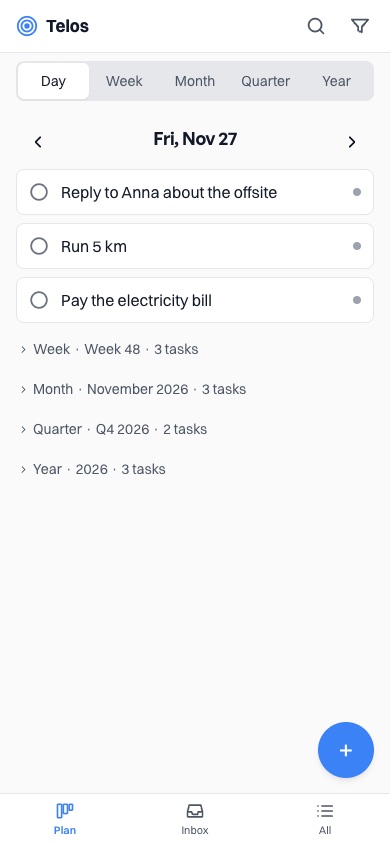
Telos puts every task in one of six places: the inbox, a day, a week, a month, a quarter or a year. I built it for myself. It runs in the browser on Mac, Windows, iPhone and Android.
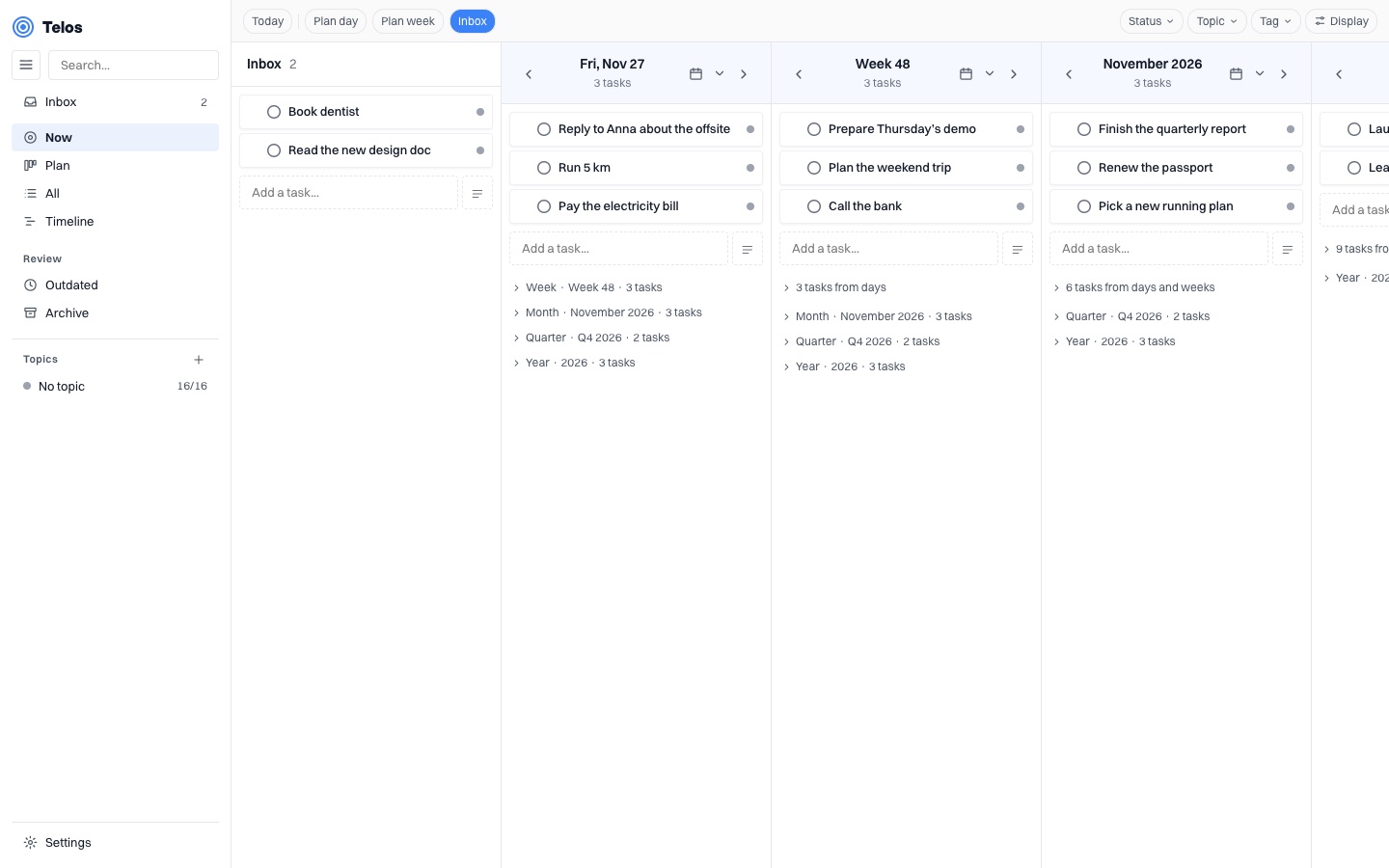
The same horizons, one column at a time, in the browser.
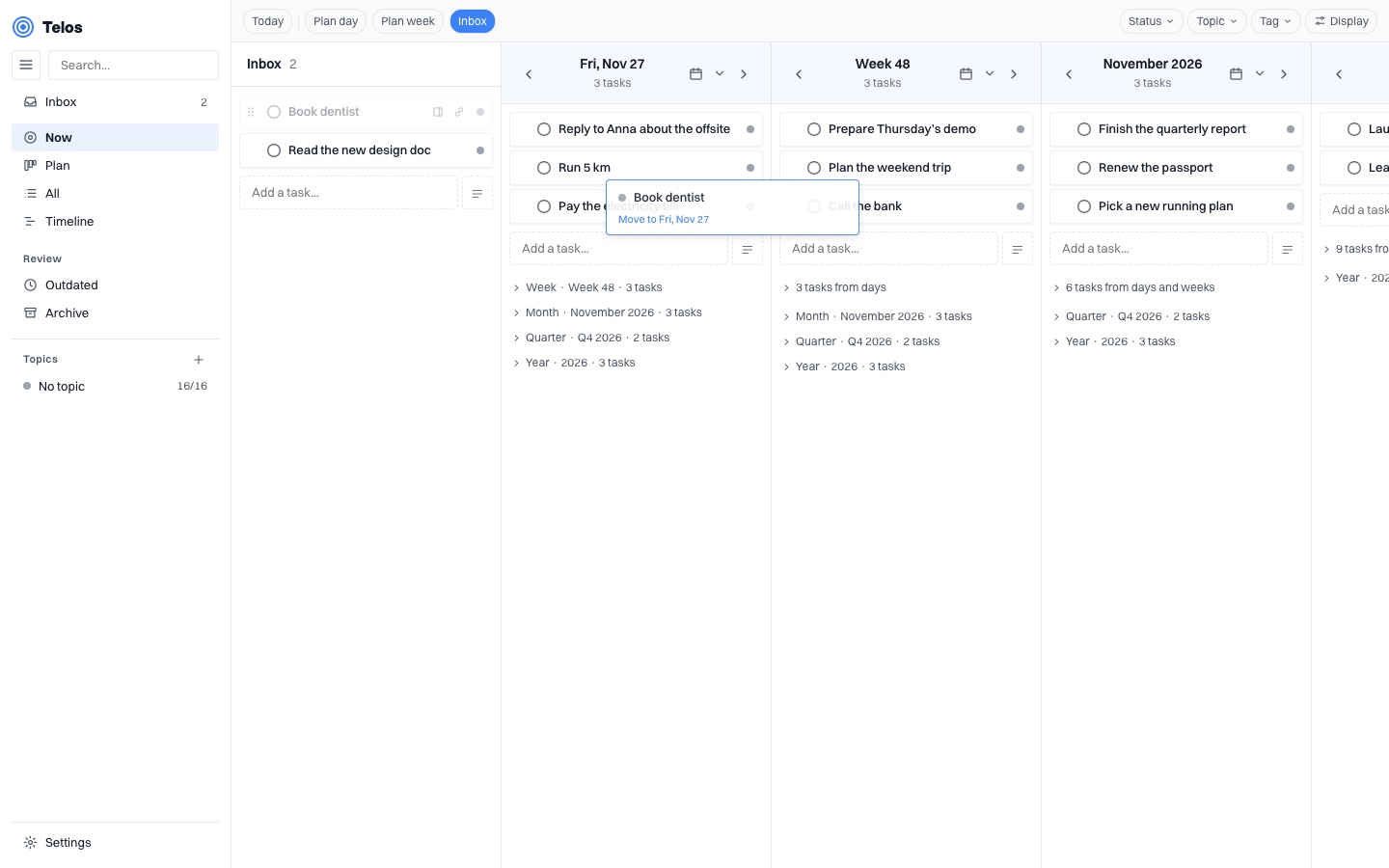
Drop a task on another column and it moves to that period. Drop it on a card and it becomes a subtask.
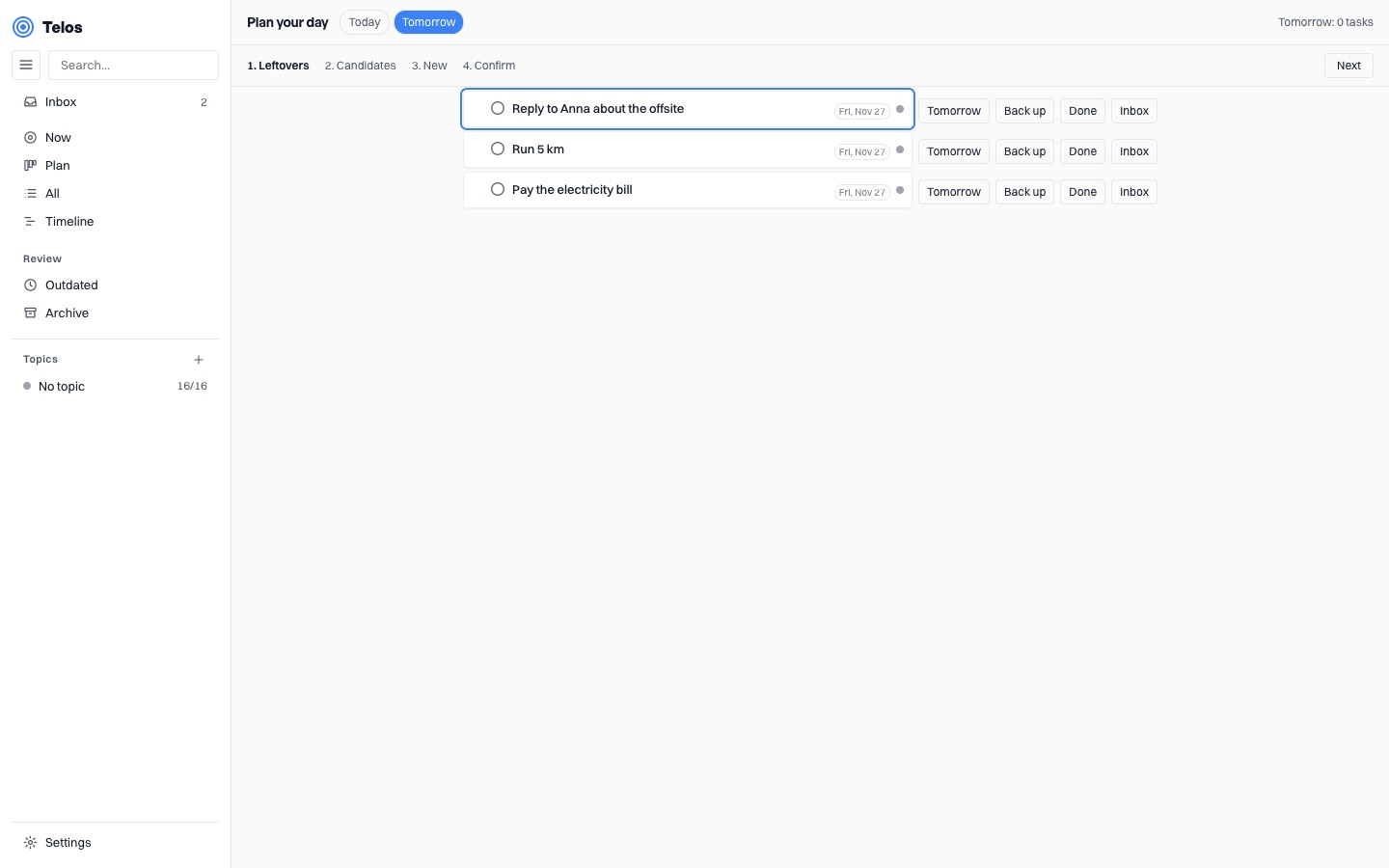
Plan your day walks through what is left. Each task gets one click: Tomorrow, Back up, Done or Inbox.